Work orders for city Public Works
From the first call to the finished job.
Workridge helps Public Works departments take in requests, dispatch crews, respond to emergencies, and keep vehicles and equipment running, on a phone in the field or a desk in the office.
One simple path for every job
Pending review, open, assigned, in progress, completed, closed. Everyone sees the same status, and nothing falls through the cracks between the office and the field.
- 01
Report
Office staff, dispatch, or crews in the field log the problem with an address, photos, and a priority.
- 02
Review and assign
A supervisor approves it and assigns a crew. Emergencies skip the line and go straight out.
- 03
Do the work
The crew sees it on their phone, follows the checklist, and records hours, parts, and photos.
- 04
Verify and close
A supervisor checks the work and closes it, or sends it back. Every step is recorded.
Made for the way Public Works actually runs
Dispatch at a glance
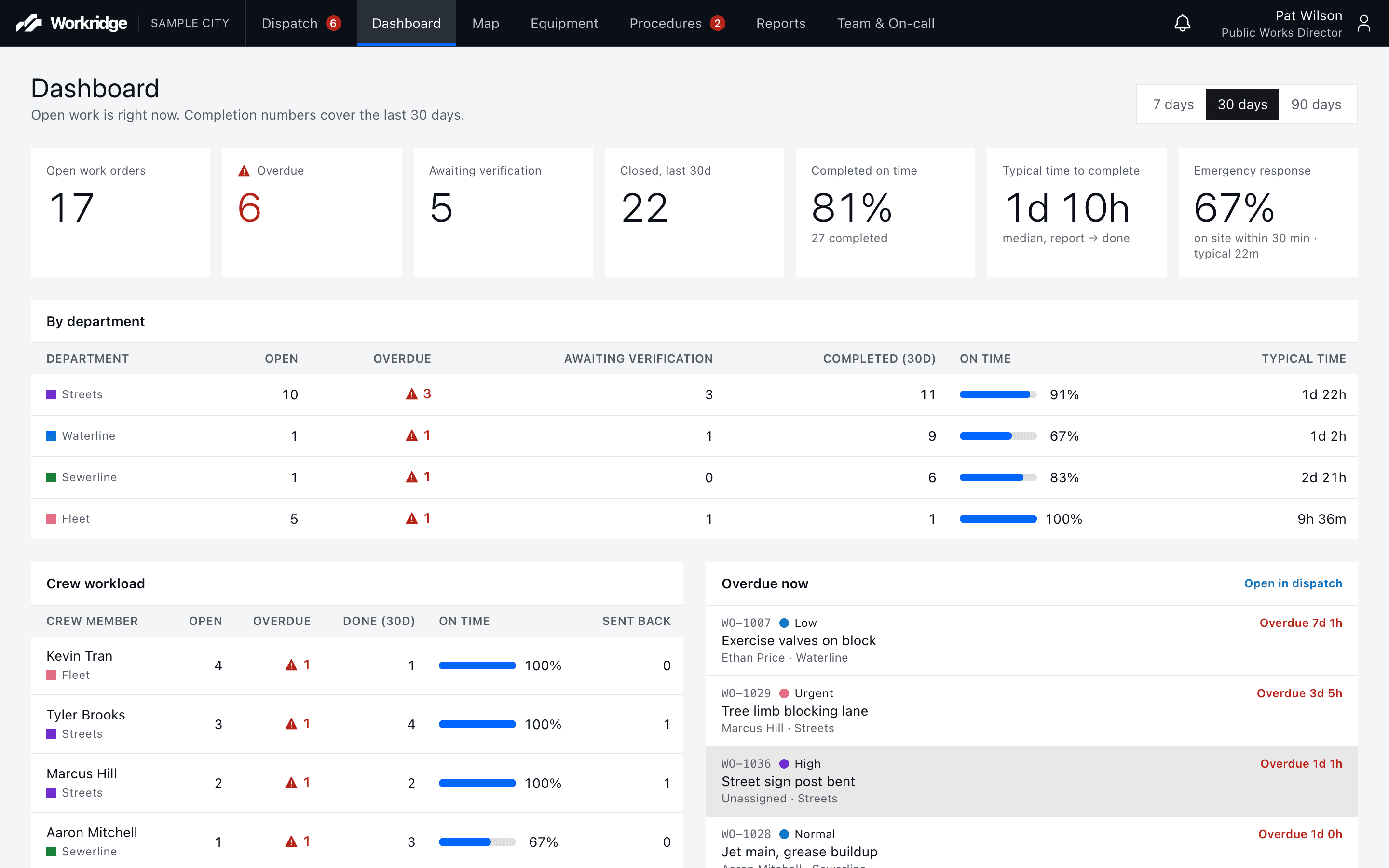
Every open job by department, priority, and due time, with one-click approve and assign.
Built for crews' phones
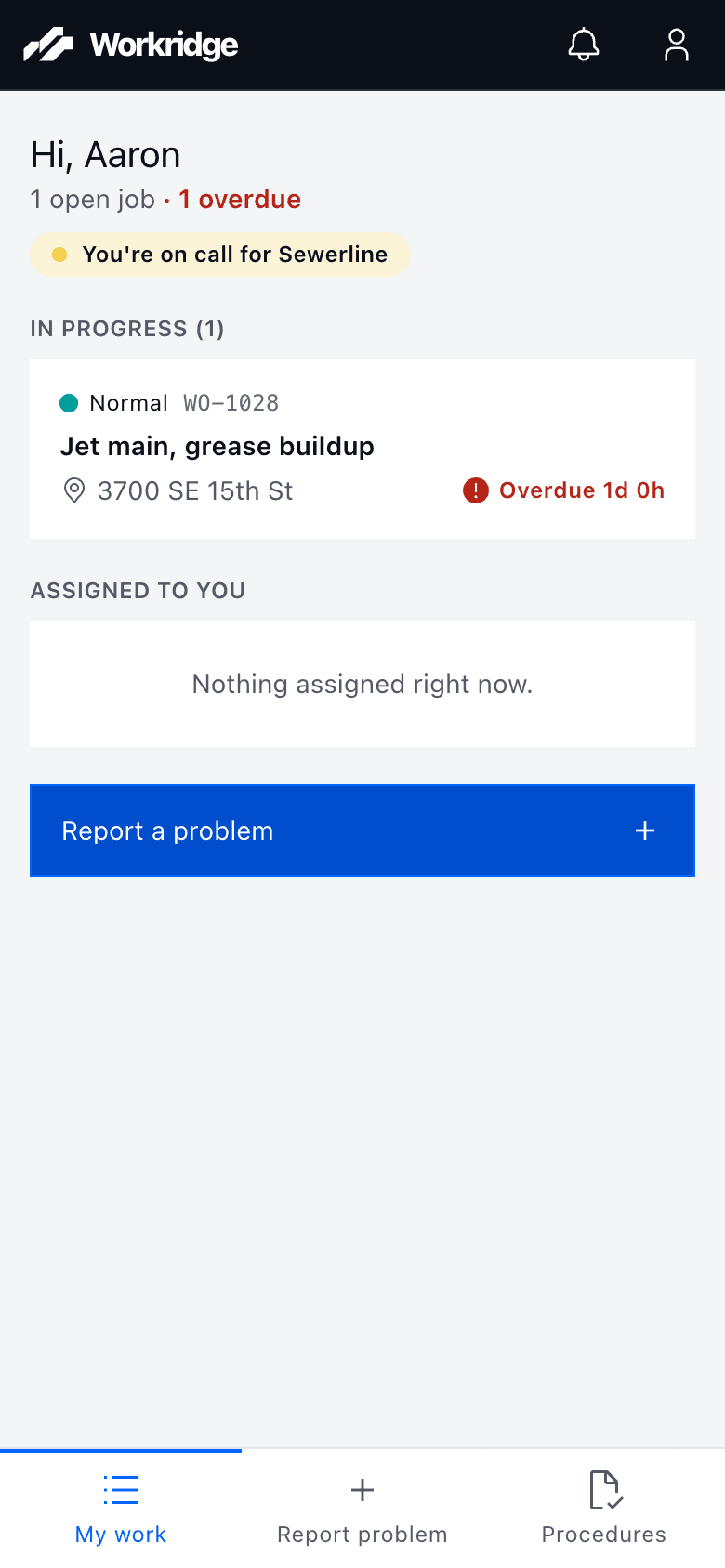
Big buttons, plain words, and only the work that's theirs. No training manual needed.
Work on a map
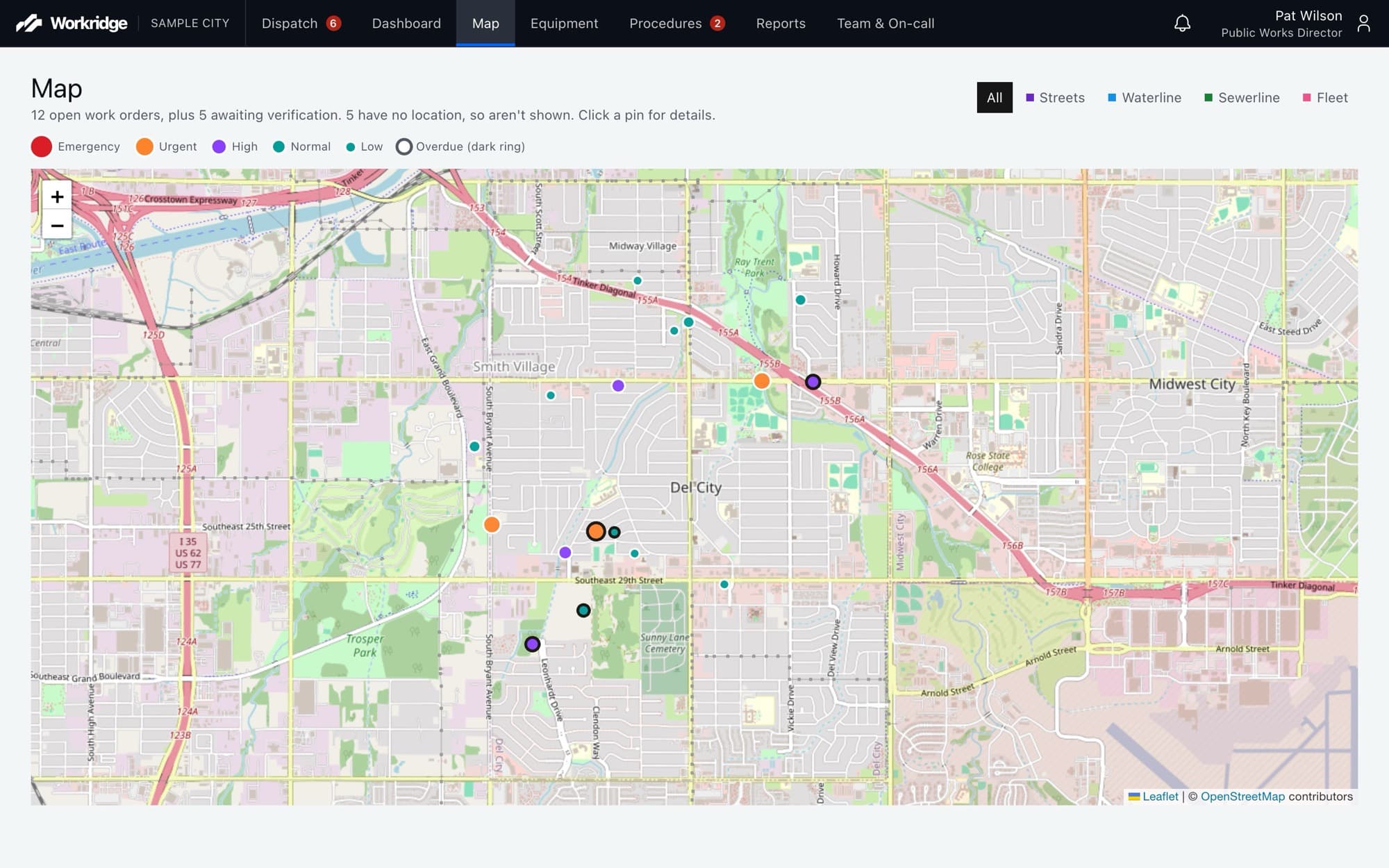
See every open job on a city map so dispatch can group nearby work and crews can find the site.
Deadlines that mean something
Emergency, Urgent, High, Normal, and Low each set response and finish times. Overdue work stands out.
Step-by-step procedures
Checklists with tools and supplies for common jobs. Crews suggest changes; supervisors approve them.
Reports for leadership
A live dashboard and a printable monthly report of completed work, response times, and overdue jobs.
Emergencies
When a main breaks at 2 a.m., the right person knows.
Emergency work goes straight to the on-call crew member. If no one is on site by the response deadline, Workridge doesn't wait for someone to notice.
Right away
The on-call crew member gets an alert in the app and a text message.
At the response deadline
No one on site yet? The supervisor is alerted automatically.
15 minutes later
Still no one? The Public Works Director is alerted.
Always
Every alert and text is logged, so you can see exactly who knew what, and when.
Know what every truck really costs
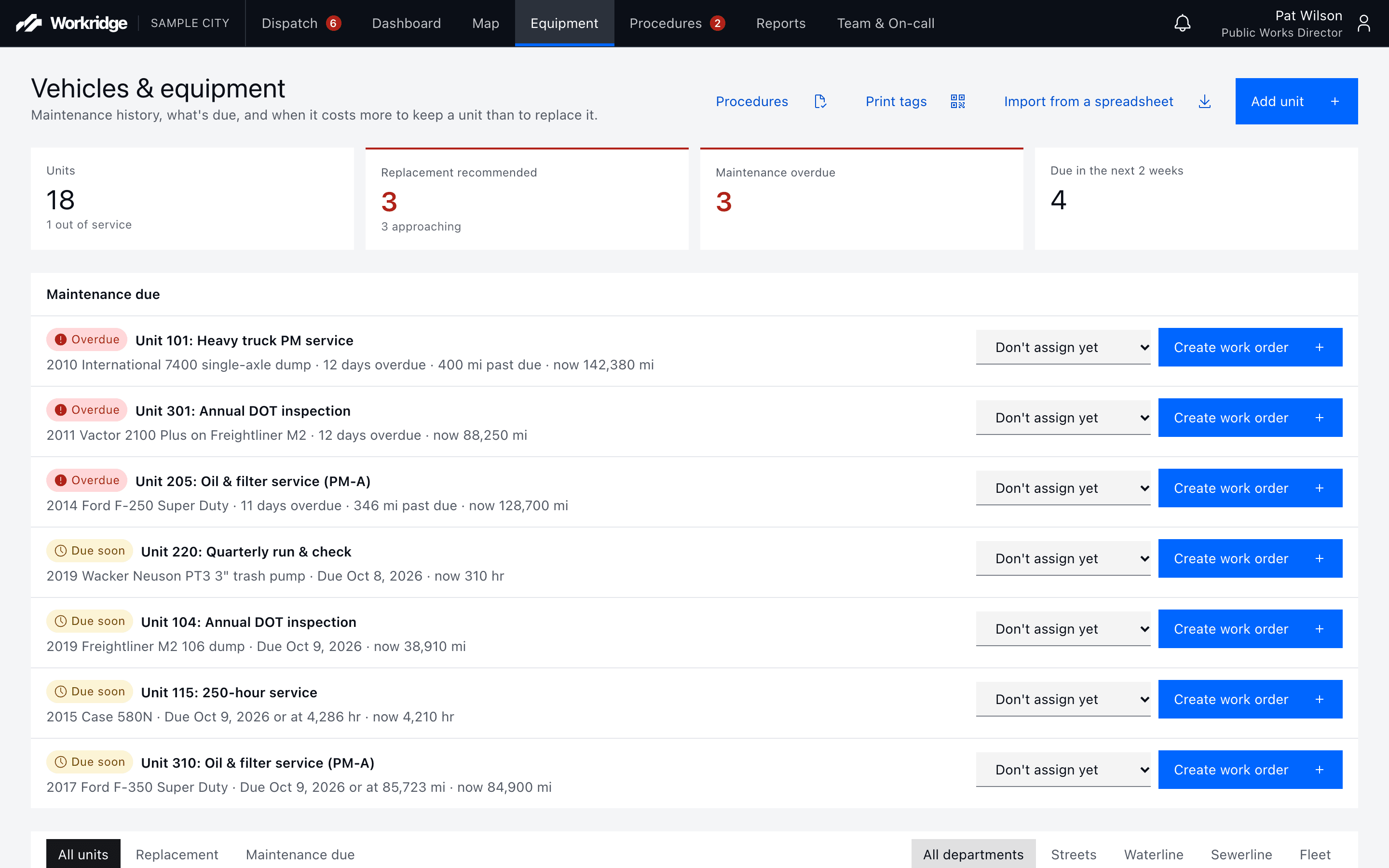
- Service history, labor, and parts costs for every vehicle and piece of equipment.
- Preventive maintenance by date, miles, or hours, whichever comes first.
- A clear flag when a unit costs more to keep than it's worth.
- QR tags on every unit: scan with a phone to report a problem or log the mileage.
Your city's data stays your city's
Kept separate
Each city's information is walled off and visible only to its own staff.
A full history
Every status change, assignment, and note is recorded on the work order.
The right access
Crews, dispatchers, supervisors, and directors each see what their role needs, with optional two-step sign-in.
Yours to take
Export everything, including photos, whenever you like.
Getting started is simple
We set up your departments, priorities, and work types, bring in your staff and fleet from a spreadsheet, and load a library of ready-made procedures you can adjust to fit how your crews work.
See Workridge with your own work
Email kyle@workridgeapp.com and we'll set up a walkthrough.